Your field service software generates invoices, tracks payments, and manages customer records all day long. But somewhere between the dispatch board and QuickBooks Online, data gets lost, duplicated, or miscategorized — and you don’t find out until your bookkeeper calls with questions about a $14,000 discrepancy. The ServiceTitan QuickBooks integration, along with integrations from Housecall Pro and Jobber, each handle this handoff differently. Understanding those differences is the gap between clean books and a reconciliation nightmare.
For the full picture of HVAC financial management, see our complete guide to HVAC bookkeeping. This article zooms in on the specific question every HVAC owner between $500K and $10M needs answered: which field service platform plays best with your accounting software, and what does your bookkeeper need to make it work?
Yes. ServiceTitan integrates with QuickBooks Online by sending batched journal entries on a schedule, not a live invoice-by-invoice sync. Housecall Pro and Jobber connect to QuickBooks Online as well, and each one transfers different detail and creates different duplicate risks. The sections below show what moves, what drops, and where duplicates usually show up.
ServiceTitan is the dominant platform for HVAC, plumbing, and electrical contractors above $3M in revenue — and its QuickBooks integration reflects that scale. Unlike simpler platforms that sync individual transactions in real time, ServiceTitan exports journal entries in batches to QuickBooks Online or QuickBooks Desktop.
Here is what that means in practice:
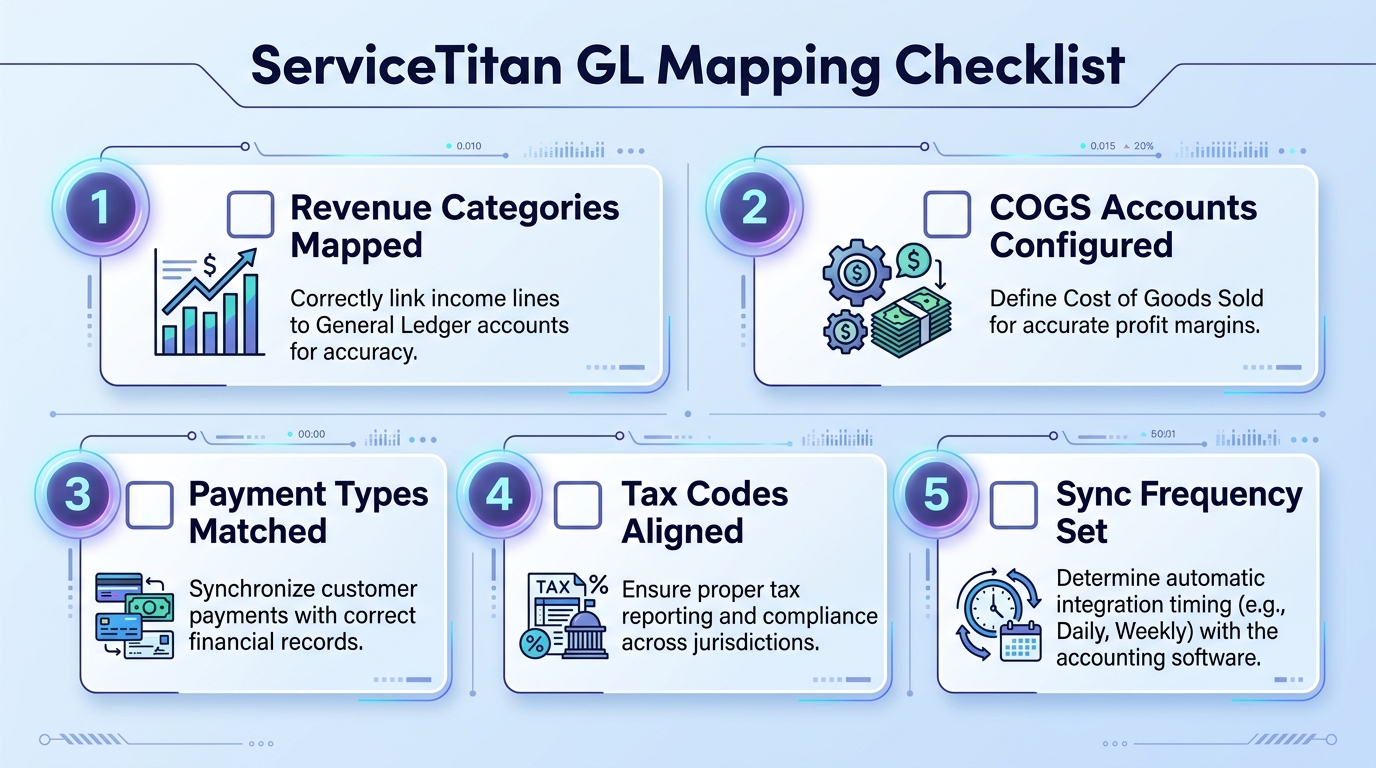
GL mapping is the foundation. Before a single dollar flows to QuickBooks, you configure how ServiceTitan’s revenue types, payment methods, and expense categories map to your QBO chart of accounts. Every business unit, invoice type, and payment method gets assigned a GL account. This mapping determines whether your install revenue lands in account 4200 (Installation Revenue) or gets dumped into a generic “Sales” account.
Batch sync, not real-time. ServiceTitan sends journal entries to QBO on a schedule — typically daily or weekly. Each batch represents a summary of all transactions in that period. Your bookkeeper sees a journal entry that says “Revenue — $23,450” rather than 47 individual invoices. This is efficient for high-volume companies but requires trust in the mapping configuration.
Customizable but complex. The mapping interface supports revenue by business unit (HVAC service vs. HVAC install vs. plumbing), by payment method (credit card, check, financing), and by invoice category. A properly configured ServiceTitan integration gives your bookkeeper more granular data than either competitor. A poorly configured one gives them an unreconcilable mess.
Pricing reality: ServiceTitan runs $200-$400 per technician per month, with minimum seat counts and annual contracts. For a 10-tech company, you’re looking at $24,000-$48,000/year before add-ons. The QuickBooks integration is included, but the initial GL mapping setup typically requires ServiceTitan’s implementation team or a certified provider to get right.
Pro Tip: Your bookkeeper should be involved in the ServiceTitan GL mapping from day one — not brought in after the system is live. Remapping after six months of bad data has flowed into QBO means reclassifying thousands of journal entries.
Housecall Pro takes the opposite approach from ServiceTitan: real-time, two-way sync with QuickBooks Online. When a technician completes an invoice in the field, it appears in QBO within minutes. When you update a customer name in QBO, it flows back to Housecall Pro.
What syncs automatically:
– Customers — created and updated in both directions
– Invoices — pushed to QBO as individual invoices (not journal entries)
– Payments — matched to their corresponding invoices
– Line items — mapped to QBO products/services
What does not sync:
– Expenses and purchase orders — Housecall Pro doesn’t track vendor-side costs, so nothing flows to the expense side of QBO
– Job costing detail — labor hours per job stay in Housecall Pro and don’t carry into QBO’s reporting
– Estimates — remain in Housecall Pro only
Best fit: $500K-$3M companies. Housecall Pro is priced at $49-$199/month (not per-tech pricing), which makes it dramatically more affordable for smaller operations. The trade-off is depth — you get clean invoice and payment data in QBO, but your bookkeeper will need to build job costing analysis manually from Housecall Pro reports rather than pulling it directly from QuickBooks.
The integration is straightforward to set up. Map your Housecall Pro line items to QBO products/services, connect the accounts, and transactions start flowing. Most bookkeepers can configure this in under an hour.
Jobber offers both one-way and two-way sync with QuickBooks Online, and the distinction matters. In one-way mode, invoices and payments push from Jobber to QBO but nothing flows back. In two-way mode, customer data syncs bidirectionally.
The known reliability issue. Jobber’s QuickBooks sync has a documented problem that bookkeepers call the 2% line item drop — roughly 2% of synced invoices arrive in QBO with missing or duplicated line items. Jobber has acknowledged this in their support documentation and attributes it to timing conflicts when invoices are edited during sync cycles.
For a company generating 200 invoices per month, that is 4 invoices that need manual correction every month. It is not catastrophic, but it creates a recurring reconciliation task that your bookkeeper needs to budget time for.
What syncs:
– Customers — two-way (if enabled)
– Invoices — one-way, Jobber to QBO
– Payments — one-way, Jobber to QBO
– Tax rates — pulled from QBO into Jobber
What doesn’t sync:
– Expenses — Jobber tracks basic expenses internally but does not push them to QBO
– Timesheets — crew hours stay in Jobber
– Job notes and attachments — operational data that doesn’t carry over
Best fit: $500K-$2M companies. Jobber’s pricing ranges from $49-$249/month and the platform excels at scheduling and client communication. Contractors who prioritize operational workflow over financial depth tend to gravitate here. But your bookkeeper should plan for a monthly audit of synced data to catch the dropped line items.
This table summarizes what each platform actually sends to QuickBooks Online — and where your bookkeeper will need to fill the gaps manually.
| Feature | ServiceTitan | Housecall Pro | Jobber |
|---|---|---|---|
| Sync method | Batch journal entries | Real-time two-way | One-way or two-way |
| Customers | Yes (via JE mapping) | Yes (bidirectional) | Yes (bidirectional if enabled) |
| Invoices | Summarized in journal entries | Individual invoices | Individual invoices |
| Payments | Summarized by payment method | Matched to invoices | Matched to invoices |
| Expenses | No | No | No |
| Job costing data | Partial (via GL mapping) | No | No |
| Inventory/parts | Partial | No | No |
| Common sync errors | GL mapping misconfiguration | Minimal | ~2% line item drops |
| Setup complexity | High (needs implementation support) | Low (self-service) | Low (self-service) |
| Bookkeeper skill needed | Advanced (journal entry reconciliation) | Intermediate | Intermediate (plus monthly audit) |
| Best for company size | $3M+ | $500K-$3M | $500K-$2M |
| Monthly cost | $200-400/tech | $49-199 flat | $49-249 flat |
Key takeaway: No platform syncs expenses or full job costing data to QBO. Your bookkeeper is always reconstructing part of the picture manually — the question is how much.
The best integration in the world still breaks if the field side isn’t feeding it clean data. Here is what your bookkeeper needs from you, the HVAC owner, to keep the books accurate.
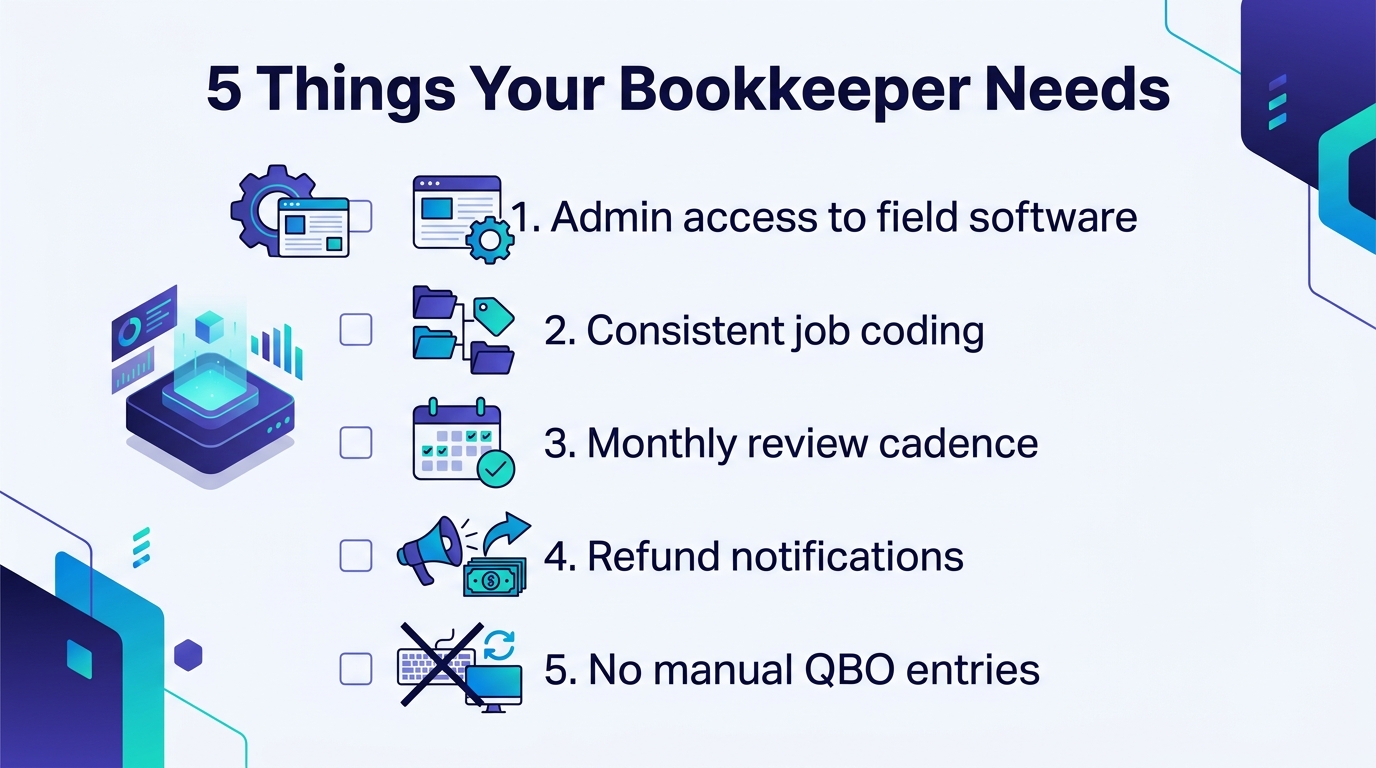
1. Admin-level software access. Your bookkeeper needs read access to your field service platform — not just QBO. When an invoice in QBO doesn’t match the dispatch board, they need to trace it back to the source. ServiceTitan offers a “Bookkeeper” role; Housecall Pro and Jobber provide admin or reporting access levels.
2. Consistent service and product coding. If one technician codes a compressor replacement as “Repair” and another codes it as “Install,” your revenue categories in QBO become unreliable. Standardize your service categories and price book so every tech is coding the same work the same way.
3. A monthly review cadence. Block 30 minutes on the calendar each month to sit with your bookkeeper (or their report) and review the integration output. This is when you catch the ServiceTitan GL mapping error that has been miscoding financing payments for three months, or the Jobber line item drops that have accumulated $4,200 in unbilled revenue.
4. Prompt notification of refunds and credits. Refunds processed in the field software but not communicated to the bookkeeper create phantom receivables in QBO. Make it a policy: if a tech issues a credit or refund, someone notifies the bookkeeping team the same day.
5. No manual QBO entries for field work. Once the integration is live, all revenue and payment entries should flow through the field service platform. If you or an office manager manually create invoices directly in QBO for work that also exists in ServiceTitan, you will create duplicates that take hours to untangle.
Whether you are on ServiceTitan, Housecall Pro, or Jobber, your bookkeeper should follow this reconciliation workflow every month.
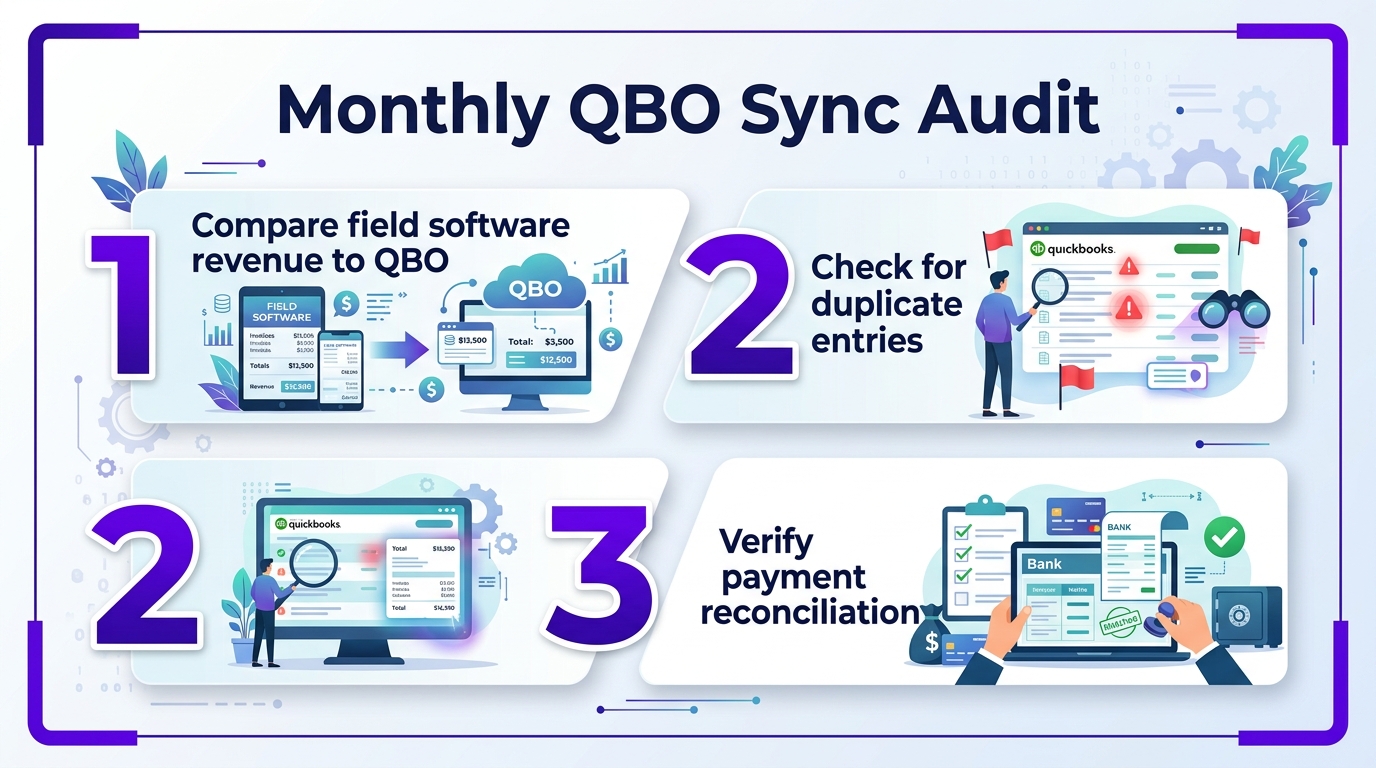
Step 1: Run the field software revenue report. Pull total invoiced revenue from your field service platform for the month. Filter by invoice date, not payment date.
Step 2: Run the QBO income report. Pull the Profit & Loss for the same period. Compare total revenue in QBO against the field software number. They should match within $50 (small rounding differences on batch journal entries are normal for ServiceTitan).
Step 3: Reconcile the delta. If the numbers don’t match, the common culprits are: invoices stuck in “draft” status that didn’t sync, duplicate entries from manual QBO input, or — on Jobber — dropped line items. Trace each discrepancy back to a specific transaction.
Step 4: Verify payment method allocations. Check that credit card payments, check payments, and financing payments each map to the correct QBO account. ServiceTitan users should verify this at the GL mapping level. Housecall Pro and Jobber users should spot-check 5-10 transactions.
Step 5: Review open receivables. Compare the aging report in the field software against QBO’s A/R aging. Mismatched payment postings are the most common source of inflated receivables. For a deeper look at maintaining your bookkeeping processes, consistency here is what separates reliable financials from guesswork.
Stop choosing your field service software based on features alone. The right choice depends on where your company sits today and where it is heading in the next 18 months.
Choose ServiceTitan if:
– Your revenue exceeds $3M and you run multiple business units (HVAC + plumbing, residential + commercial)
– You need granular job costing and departmental P&L reporting
– You have a bookkeeper or accounting team who can manage GL mapping
– You are willing to invest in proper implementation
Choose Housecall Pro if:
– Your revenue is between $500K and $3M
– You want the simplest possible QBO integration with minimal bookkeeper intervention
– Invoice-level detail in QBO matters more to you than journal entry summaries
– Budget is a primary concern
Choose Jobber if:
– Your revenue is between $500K and $2M
– Scheduling and client communication are your top operational priorities
– You are comfortable with your bookkeeper running a monthly sync audit
– You plan to stay at your current size for the foreseeable future
Important: If you are currently on one platform and considering switching, talk to your bookkeeper first. Migrating from Housecall Pro to ServiceTitan mid-year means your bookkeeper needs to reconcile two different data formats across the transition period — and the historical data in QBO from the old integration doesn’t automatically remap to the new GL structure. Plan platform changes for January 1.
Need a bookkeeper who understands HVAC software integrations? Steph’s Books specializes in bookkeeping for HVAC contractors running ServiceTitan, Housecall Pro, and Jobber. We handle the GL mapping, monthly reconciliation, and sync audits — so your books match your dispatch board every single month. Get started today →
Answer a few quick questions for an instant, no-obligation quote — no sales call required. See how Steph's Books saves you 40-60% vs. hiring in-house.
