A property management company running 150 units on QuickBooks Online’s default chart of accounts is building financial reports on a foundation of sand. The generic “Services” income account tells you nothing about whether rent collections, late fees, or CAM recharges are driving revenue — and when an owner asks why their November distribution was $3,200 less than October, you’re stuck digging through transaction details instead of pulling a clean report.
The property management chart of accounts is the single most important structural decision in your accounting system. Get the account numbering right from day one, and every report — owner statements, trust reconciliations, IRS Schedule E filings, management fee analysis — generates itself. Get it wrong, and you’re rebuilding your entire ledger when you scale from 50 to 200 units.
This guide provides a complete, numbered chart of accounts template designed for property management companies managing 50–500+ units in QuickBooks Online. Every account number, name, and type is ready to import.
Most industries can survive with a loose chart of accounts. Property management cannot.
You’re tracking three distinct money pools — tenant funds in trust, owner funds in reserve, and your own management company operating funds — across dozens or hundreds of properties. Each pool has different regulatory requirements, different reporting audiences, and different tax treatment.
A properly structured property management chart of accounts delivers:
Without this structure, your team spends 6–10 hours per month on manual reclassifications and owner report adjustments. At an average bookkeeper cost of $55–$75/hour, that’s $4,000–$9,000 per year in wasted labor — before you count the owner relationships damaged by late or inaccurate statements.
For a deeper dive into the full financial operations framework, see our property management accounting guide.
Why numbered accounts matter: QuickBooks Online sorts accounts alphabetically by default. Without a numbering system, “Advertising” appears next to “Association Dues” instead of grouping logically by function. A numbered structure (1000s for assets, 4000s for income, 5000s for direct costs) keeps your chart organized as it grows from 30 accounts to 150+.
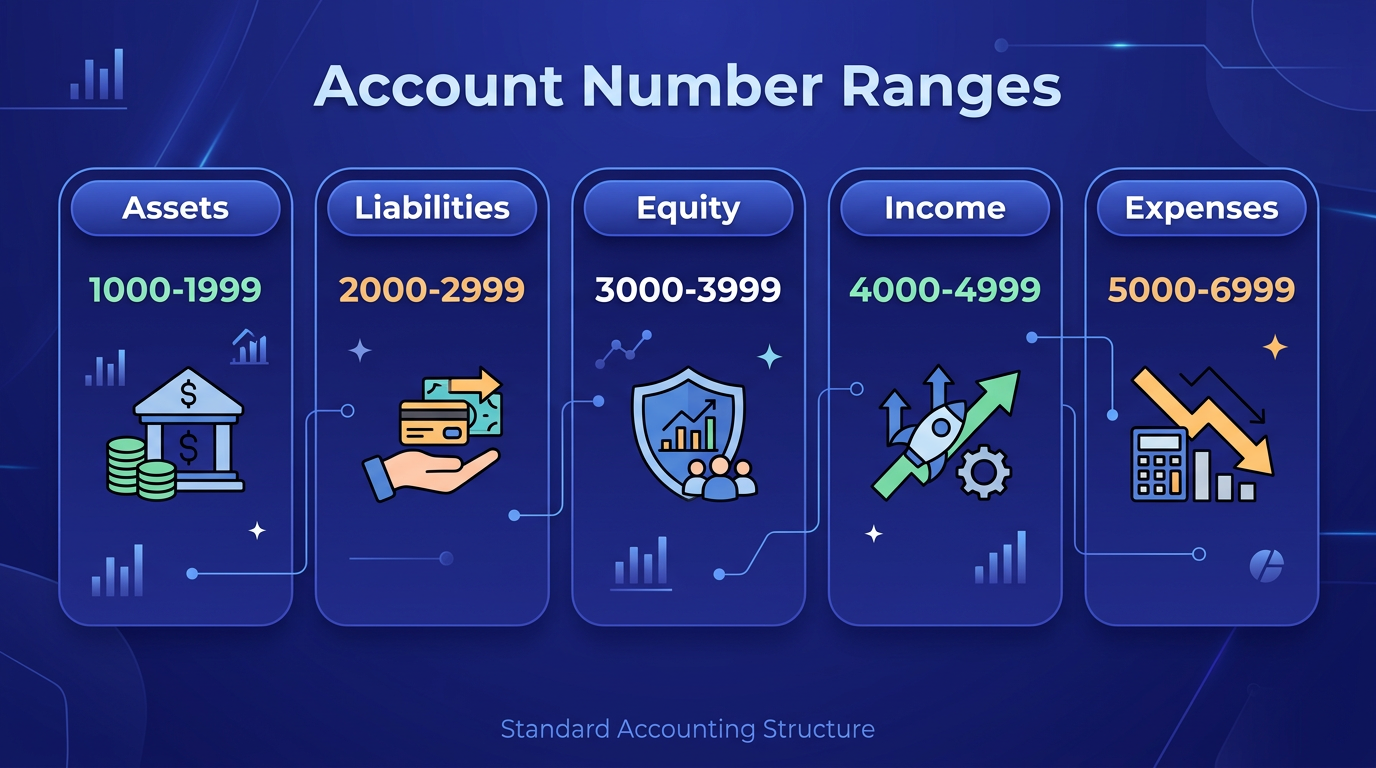
Professional accounting uses standardized number ranges to organize accounts by type. Here’s the framework optimized for property management:
The key principle: income and expense accounts in the 4000–6999 range get tagged with a Location (property) in every transaction. Asset, liability, and equity accounts in the 1000–3999 range track at the company level, with sub-accounts for trust vs. operating where needed.
This template covers the accounts most property management companies need at the 50–500 unit scale. Customize by adding or removing line items, but keep the numbering structure intact.
| Account # | Account Name | Type | Category | Notes |
|---|---|---|---|---|
| 1000 | Operating Checking | Bank | Asset | Company operating funds |
| 1010 | Trust Checking – Rent Collections | Bank | Asset | Tenant rent, must be segregated |
| 1020 | Trust Checking – Security Deposits | Bank | Asset | Held deposits, separate per state law |
| 1030 | Owner Reserve Checking | Bank | Asset | Owner maintenance reserves |
| 1100 | Accounts Receivable – Tenants | Accounts Receivable | Asset | Outstanding rent and charges |
| 1110 | Accounts Receivable – Owners | Accounts Receivable | Asset | Owner-owed maintenance, fees |
| 1200 | Prepaid Insurance | Other Current Asset | Asset | Prepaid property insurance |
| 1210 | Prepaid Licenses & Permits | Other Current Asset | Asset | RE license renewals, business permits |
| 1500 | Office Equipment | Fixed Asset | Asset | Computers, furniture, office buildout |
| 1510 | Vehicles | Fixed Asset | Asset | Company maintenance vehicles |
| 1550 | Accumulated Depreciation | Fixed Asset | Asset | Contra asset for depreciation |
| 2000 | Accounts Payable | Accounts Payable | Liability | Vendor invoices pending payment |
| 2100 | Security Deposits Held | Other Current Liability | Liability | Tenant deposits held in trust |
| 2110 | Tenant Prepaid Rent | Other Current Liability | Liability | Rent received for future months |
| 2120 | Owner Reserves Held | Other Current Liability | Liability | Maintenance reserves by property |
| 2130 | Owner Distributions Payable | Other Current Liability | Liability | Calculated but unpaid distributions |
| 2200 | Payroll Liabilities | Other Current Liability | Liability | Withheld payroll taxes |
| 2210 | Sales Tax Payable | Other Current Liability | Liability | Applicable in some jurisdictions |
| 2300 | Credit Card Payable | Credit Card | Liability | Company credit card balance |
| 2500 | Line of Credit | Long Term Liability | Liability | Operating line of credit |
| 2510 | Mortgage Payable | Long Term Liability | Liability | If company owns properties |
| 3000 | Owner’s Equity | Equity | Equity | Capital contributions |
| 3100 | Retained Earnings | Equity | Equity | Accumulated net income |
| 3200 | Owner Distributions | Equity | Equity | Draws and distributions |
| 4000 | Rental Income – Residential | Income | Revenue | Monthly residential rent |
| 4010 | Rental Income – Commercial | Income | Revenue | Monthly commercial rent |
| 4020 | Late Fees | Income | Revenue | Tenant late payment charges |
| 4030 | Pet Rent | Income | Revenue | Monthly pet fees |
| 4040 | Parking Income | Income | Revenue | Covered/uncovered parking fees |
| 4050 | Laundry & Vending Income | Income | Revenue | On-site machine revenue |
| 4060 | Application Fees | Income | Revenue | Tenant screening charges |
| 4070 | CAM Recharges – Tenants | Income | Revenue | Common area maintenance passed to tenants |
| 4080 | Utility Reimbursements | Income | Revenue | Tenant-reimbursed utilities |
| 4090 | Lease Break Fees | Income | Revenue | Early termination charges |
| 4100 | NSF / Returned Check Fees | Income | Revenue | Bounced payment charges |
| 4200 | Management Fees Earned | Income | Revenue | Percentage-based management fees |
| 4210 | Leasing Fees Earned | Income | Revenue | New lease / renewal commissions |
| 4220 | Maintenance Markup Income | Income | Revenue | Markup on coordinated maintenance |
| 4230 | Oversight / Project Fees | Income | Revenue | Capital project management fees |
| 5000 | Maintenance & Repairs – General | Cost of Goods Sold | Direct Cost | Routine property maintenance |
| 5010 | Maintenance & Repairs – HVAC | Cost of Goods Sold | Direct Cost | Heating and cooling repairs |
| 5020 | Maintenance & Repairs – Plumbing | Cost of Goods Sold | Direct Cost | Plumbing service and repair |
| 5030 | Maintenance & Repairs – Electrical | Cost of Goods Sold | Direct Cost | Electrical work |
| 5040 | Maintenance & Repairs – Appliances | Cost of Goods Sold | Direct Cost | Appliance repair and replacement |
| 5100 | Unit Turnover Costs | Cost of Goods Sold | Direct Cost | Make-ready: paint, clean, carpet |
| 5200 | Landscaping & Grounds | Cost of Goods Sold | Direct Cost | Lawn, snow, common area upkeep |
| 5210 | Pest Control | Cost of Goods Sold | Direct Cost | Extermination services |
| 5300 | Property Insurance | Cost of Goods Sold | Direct Cost | Casualty, liability, umbrella |
| 5310 | Property Taxes | Cost of Goods Sold | Direct Cost | Real estate tax assessments |
| 5400 | Utilities – Water/Sewer | Cost of Goods Sold | Direct Cost | Common area and owner-paid |
| 5410 | Utilities – Electric | Cost of Goods Sold | Direct Cost | Common area electric |
| 5420 | Utilities – Gas | Cost of Goods Sold | Direct Cost | Common area gas/heating |
| 5430 | Utilities – Trash/Recycling | Cost of Goods Sold | Direct Cost | Waste removal |
| 5500 | HOA / Association Dues | Cost of Goods Sold | Direct Cost | Condo/HOA fees if applicable |
| 5600 | Vendor Subcontractor Costs | Cost of Goods Sold | Direct Cost | Contracted services |
| 5700 | Capital Improvements | Cost of Goods Sold | Direct Cost | Roof, parking lot, major rehab |
| 6000 | Salaries & Wages | Expense | Operating | Office and management staff |
| 6010 | Payroll Taxes & Benefits | Expense | Operating | Employer FICA, insurance, PTO |
| 6020 | Maintenance Staff Wages | Expense | Operating | On-site maintenance team |
| 6100 | Office Rent | Expense | Operating | Management company office lease |
| 6110 | Office Supplies | Expense | Operating | Paper, printer, postage |
| 6200 | Software & Technology | Expense | Operating | AppFolio, Buildium, QBO, etc. |
| 6210 | Telephone & Internet | Expense | Operating | Office and on-site communication |
| 6300 | Professional Fees – Legal | Expense | Operating | Attorney, eviction costs |
| 6310 | Professional Fees – Accounting | Expense | Operating | Bookkeeping, CPA, audit |
| 6320 | Professional Fees – Other | Expense | Operating | Consultants, specialists |
| 6400 | Marketing & Advertising | Expense | Operating | Listing fees, signage, digital ads |
| 6410 | Tenant Screening Costs | Expense | Operating | Background/credit check fees |
| 6500 | Vehicle Expense | Expense | Operating | Gas, maintenance, mileage |
| 6510 | Travel & Meals | Expense | Operating | Property visits, conferences |
| 6600 | Licenses & Permits | Expense | Operating | RE license, business permits |
| 6610 | Continuing Education | Expense | Operating | NARPM, IREM, CPM courses |
| 6700 | Bank Fees & Charges | Expense | Operating | Service charges, wire fees |
| 6800 | Bad Debt Expense | Expense | Operating | Uncollectible tenant balances |
| 7000 | Interest Income | Other Income | Other Income | Bank interest earned |
| 7010 | Insurance Proceeds | Other Income | Other Income | Damage claims received |
| 7020 | Miscellaneous Income | Other Income | Other Income | Non-recurring items |
| 8000 | Interest Expense | Other Expense | Other Expense | Loan and LOC interest |
| 8100 | Depreciation Expense | Other Expense | Other Expense | Annual depreciation charges |
| 8200 | Amortization Expense | Other Expense | Other Expense | Intangible asset amortization |
| 9000 | Suspense / Clearing | Other Expense | Other Expense | Unclassified transactions |
| 9100 | Intercompany Transfers | Other Expense | Other Expense | Between entities or trust accounts |
Critical: trust account separation. Accounts 1010, 1020, and 1030 are separate bank accounts — not sub-accounts of your operating checking. Most states require physical separation of trust funds. Commingling tenant security deposits with your operating cash is a license-revocation offense. Map each trust bank account to a corresponding liability (2100, 2110, 2120) for clean reconciliation.
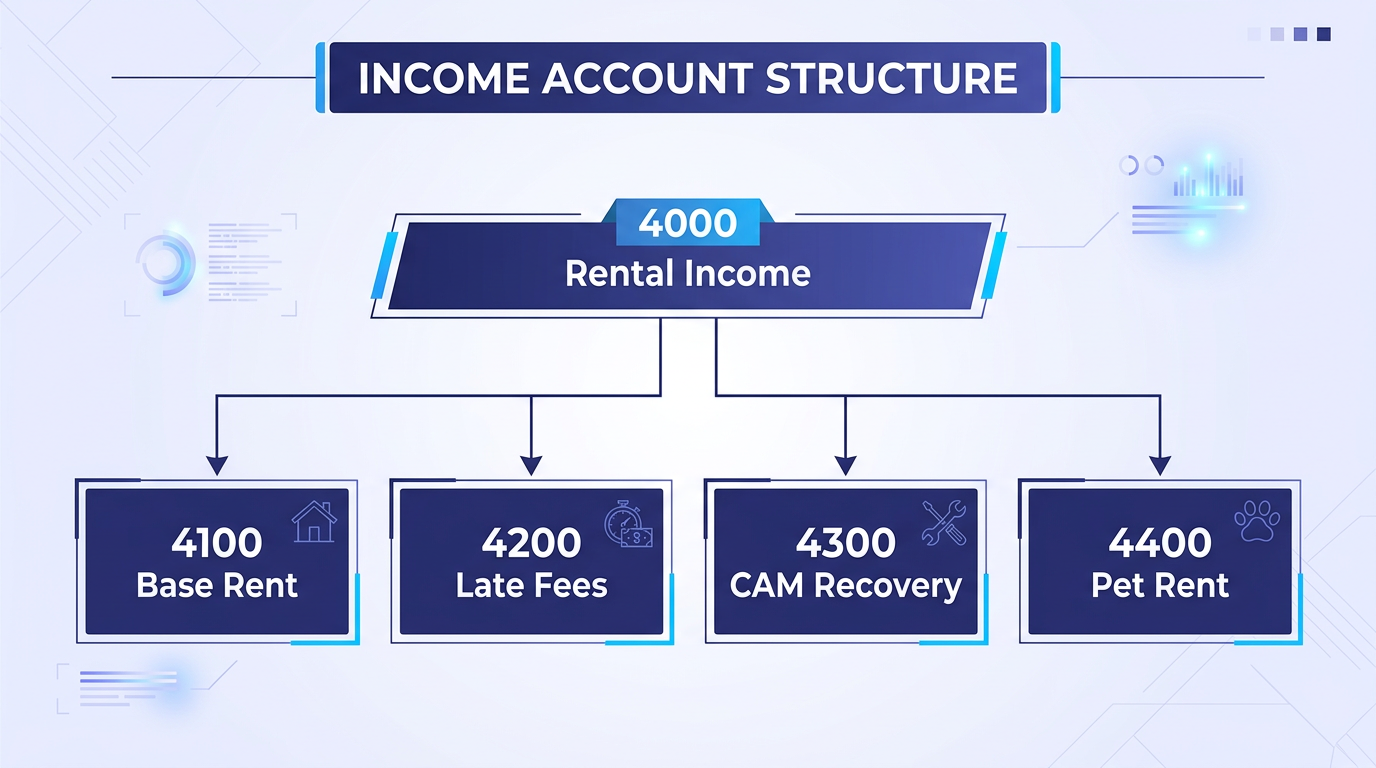
The default QuickBooks “Services” income account is useless for property management. You need granular revenue tracking to answer the questions owners and regulators actually ask: How much late fee income did this property generate? What’s the CAM recovery rate? Are pet fees covering the additional wear costs?
Split residential and commercial rent into separate accounts. The tax treatment differs — commercial rent may involve sales tax in some states, and IRS Schedule E requires separate reporting for residential rental activity. When combined with QBO’s Location tracking, you get rent income by property and by type without any manual filtering.
Late fees (4020) deserve their own account because they’re often split between the management company and the owner — typically 50/50 or 100% to the manager. Tracking late fees separately makes the split calculation automatic at month-end.
Pet rent (4030) has exploded as a revenue line. A 200-unit community averaging 35% pet ownership at $50/month generates $42,000 annually. That’s material income that gets buried if you dump it into “Other Income.”
CAM recharges (4070) are the most complex income line in commercial property management. Common area maintenance costs — landscaping, parking lot lighting, elevator service, lobby cleaning — get allocated to tenants based on their pro-rata share of leasable square footage. Your chart of accounts needs a clean CAM income line that you can reconcile against the CAM expense accounts in the 5000s during annual reconciliation.
These accounts separate your company’s earned revenue from the property-level income you manage on behalf of owners. Management fees (4200) typically run 6–10% of collected rent. Leasing fees (4210) are usually 50–100% of one month’s rent for new leases. Separating these from property income keeps your company P&L clean and makes management agreement compliance straightforward.
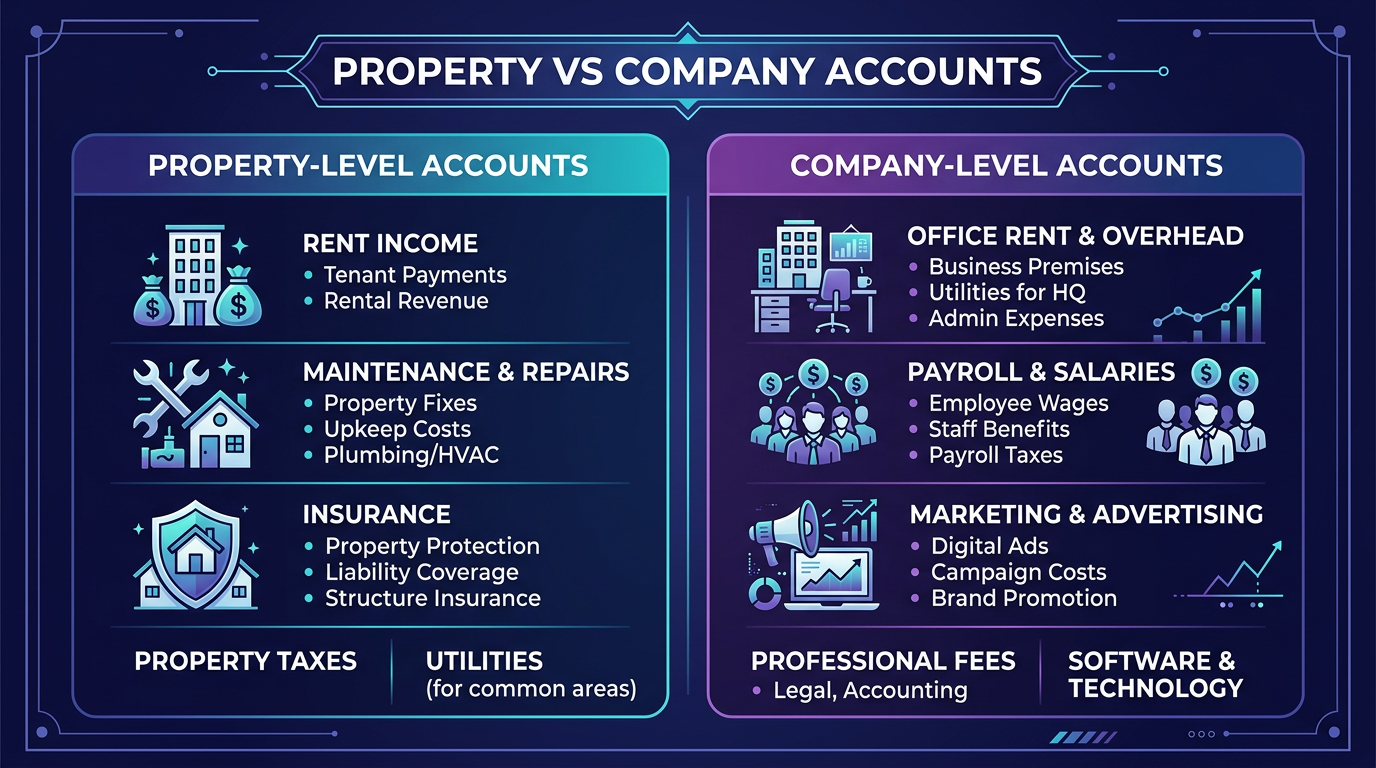
The 5000 vs. 6000 split is deliberate. 5000-series accounts are direct property costs — expenses that belong to a specific property and appear on owner statements. 6000-series accounts are your management company’s overhead — expenses that keep your office running but don’t get charged to property owners.
When you run an owner statement, you pull 4000-series income and 5000-series expenses filtered by that owner’s property Location. Your 6000-series overhead never touches the owner statement. If maintenance payroll (6020) accidentally lands in a 5000 account, owners see inflated expenses and start questioning your management.
Breaking maintenance into trade categories — HVAC, plumbing, electrical, appliance — reveals patterns that blanket “Repairs” accounts hide. If unit 204’s HVAC costs hit $4,800 in a single year, that’s a signal to replace the system proactively rather than sinking another $2,000 into a 15-year-old unit. For more on tracking strategies, see our guide on QuickBooks property management tracking.
Turnover is the most expensive event in property management — $3,000–$5,000 per unit in direct costs (paint, carpet, cleaning, minor repairs), plus vacancy loss. A dedicated turnover account lets you calculate true cost-per-turn and compare it across properties. If Property A averages $2,800 per turn and Property B averages $4,600, you know where to focus your capital improvement budget.
Trust accounting is where property management companies get into regulatory trouble. The liability accounts in the 2100 series are your safeguard.
When a tenant pays a $1,500 security deposit, two things happen simultaneously:
The bank balance (1020) and the liability balance (2100) must always match. If they don’t, you have a reconciliation problem that needs immediate attention. This is the core of three-way reconciliation — your bank statement, your trust ledger, and your individual tenant deposit records must all agree.
Tenant prepaid rent (2110) works the same way. If a tenant pays January rent on December 20, that payment is a liability until January 1 when it becomes earned income. Recording it as December revenue overstates income and creates tax complications.
Owner reserves (2120) hold maintenance reserve funds that owners have deposited for future repairs. This is their money, not yours. The reserve balance should match account 1030, and every withdrawal needs owner authorization documented in your files.
For a detailed breakdown of security deposit compliance by state, see our security deposit accounting guide.
Three-way reconciliation checkpoint: At month-end, confirm that (1) your trust bank statement balance matches (2) your QBO trust checking account balance, which matches (3) the sum of all individual tenant/owner liability sub-ledgers. If all three don’t agree to the penny, stop and find the discrepancy before closing the month.
The chart of accounts template above handles the account dimension. But property management accounting requires a second dimension: property-level tracking that tags every transaction to a specific property without duplicating your entire account structure.
In QuickBooks Online, enable Location tracking under Settings > Account and Settings > Categories. Create one Location for each property in your portfolio:
Every transaction gets a Location tag. Rent income for Riverside hits account 4000 with Location = Riverside Apartments. A plumbing repair at Oak Street hits account 5020 with Location = Oak Street Townhomes. Your office internet bill hits account 6210 with Location = Corporate.
Use Class tracking for the second categorization layer — typically residential vs. commercial, or managed vs. owned. This lets you run a P&L filtered by class to see all residential properties aggregated, or all commercial properties, without changing your account structure.
Implement a hard rule: no transaction posts without a Location tag. QBO doesn’t enforce this natively, but you can run a weekly report filtered for “Unspecified” Location to catch untagged entries. Even one untagged $200 expense per week compounds into $10,400 of misallocated costs per year — enough to materially distort a small property’s P&L.
Here’s the step-by-step process to implement this template in a new or existing QuickBooks Online company file. For a broader QBO setup walkthrough, Intuit’s chart of accounts guide covers the general mechanics.
Go to Settings > Chart of Accounts > Settings (gear icon) and toggle on “Enable account numbers.” This is off by default in QBO and critical for the numbered structure.
Navigate to Settings > Account and Settings > Categories. Turn on both Location tracking (label it “Property”) and Class tracking (label it “Property Type”). Check “Warn me when a transaction isn’t assigned” for both.
You have two options:
Under Settings > Lists > Locations, add every property in your portfolio. Use consistent naming: “Property Name (Unit Count)” helps at a glance. Add a “Corporate / Home Office” location for your management company overhead.
Connect each bank account to the corresponding QBO account. Your operating checking maps to 1000. Each trust checking account maps to its designated 1010, 1020, or 1030 account. Never connect two bank accounts to the same QBO account — this creates reconciliation nightmares.
Set up monthly recurring entries for:
Dumping rent, late fees, pet income, and CAM recharges into a single “Rental Income” account makes it impossible to analyze revenue composition. When an owner asks why revenue dropped 8% in Q3, you need to identify whether it’s a vacancy issue (rent income down), a collection issue (late fees up but rent down), or a seasonal pattern (CAM recharges lower in summer).
Some property managers track trust funds as sub-accounts of their operating checking. This is functionally commingling — your balance sheet shows one checking total instead of clearly segregated trust and operating balances. State auditors will flag this immediately.
When property maintenance and company overhead share the same expense range, owner statements include your office rent, your marketing costs, and your accounting fees. Owners don’t want to see your overhead — they want to see their property’s expenses. The 5000/6000 split makes this clean.
Some property managers create separate accounts like “4000-Riverside Rent Income” and “4000-Oak Street Rent Income.” This approach creates an account explosion — 80 accounts per property times 20 properties equals 1,600 accounts. Use Locations instead. One account (4000 Rental Income – Residential) with Location tags accomplishes the same reporting without the clutter.
When a payment comes in and you’re not sure which property or category it belongs to, it needs somewhere to land temporarily. Account 9000 (Suspense / Clearing) catches these items so they don’t get force-fitted into the wrong account. Run a weekly suspense account review to clear every item.
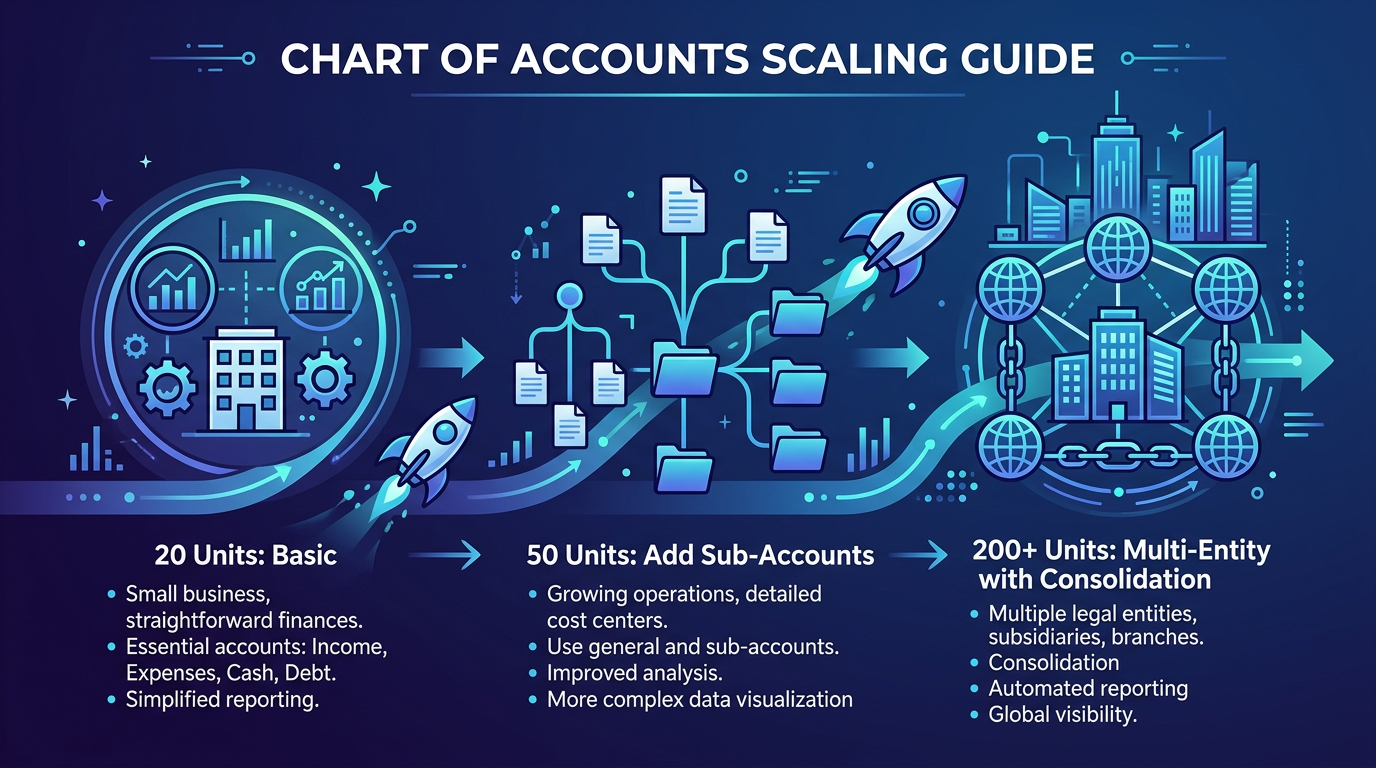
Your chart of accounts at 20 units should look structurally identical to your chart at 200 units. That’s the entire point of using Location tracking instead of account duplication.
At 20–50 units, you might manage with a single trust checking account (1010) for both rent collections and security deposits, provided your state allows it. Your Location list is short enough to manage manually.
At 50–100 units, you need the full three-account trust structure (1010, 1020, 1030). Add sub-accounts under maintenance (5000–5040) to track trade categories. Consider adding a 5100 (Unit Turnover) account if you weren’t already tracking turnover costs separately.
At 100–200+ units, you’re likely running multiple entities — an LLC per property or a management company plus property-owning LLCs. Each entity needs its own QBO file with its own chart of accounts. Use the same numbering structure across all entities so consolidated reporting works.
At 200+ units, manual bookkeeping breaks down. This is where purpose-built property management software (AppFolio, Buildium, Yardi) integrates with QBO, or you move your accounting fully into the PM platform. Either way, the chart of accounts structure remains the same — the tool changes, not the framework.
Add a new account when a line item becomes material and recurring. If pet rent at one property generates $200/month, it can stay in “Miscellaneous Income.” When your portfolio-wide pet rent hits $3,000+/month, it deserves its own 4030 account. The threshold varies, but a good rule: if you’re pulling a transaction report to isolate a revenue or expense line more than once a quarter, create a dedicated account for it.
For a comparison of the best tools to manage this at scale, see our software guide for property management accounting.
Ready to get your property management accounting structured the right way? Steph’s Books specializes in bookkeeping for property management companies running 50–500+ units. We’ll set up your chart of accounts, configure trust account tracking, and deliver monthly owner statements — so you can focus on managing properties, not reconciling spreadsheets. Schedule a free consultation →
Answer a few quick questions for an instant, no-obligation quote — no sales call required. See how Steph's Books saves you 40-60% vs. hiring in-house.
