If you manage 50 or more units, your financials are essentially useless without property-level visibility. A single company-wide P&L tells you whether the portfolio is profitable — but it cannot tell you which properties are dragging down margins and which ones are carrying the rest.
QuickBooks property management tracking solves this by segmenting every transaction to a specific property, building, or LLC. When done correctly, you can pull a P&L for any individual property and see exactly where rent revenue, maintenance costs, and management fees land.
Here is what property-level tracking gives you that portfolio-level numbers cannot:
Pro Tip: Start tracking at the property level from day one — even with a small portfolio. Retroactively splitting two years of commingled transactions across 30 properties is one of the most expensive bookkeeping cleanups we see.
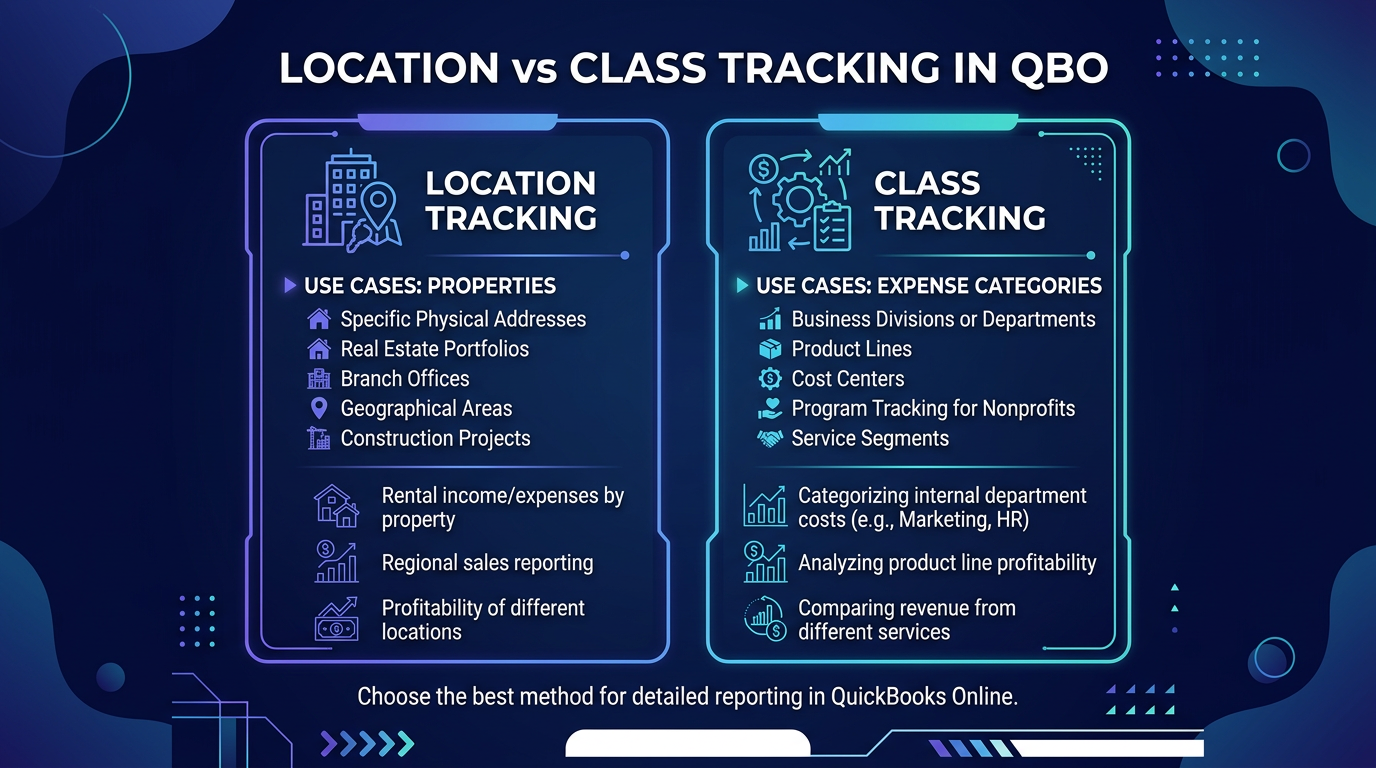
QuickBooks Online offers two built-in segmentation tools — Location tracking and Class tracking — and choosing the right one (or using both) depends entirely on your portfolio structure.
Most property managers default to one without understanding the tradeoffs. Here is a direct comparison:
| Feature | Location Tracking | Class Tracking |
|---|---|---|
| Best for | Physical properties, buildings, addresses | Functional categories (maintenance, leasing, management) |
| Hierarchy | Supports parent/child (portfolio → property → unit) | Flat list only (no nesting in QBO) |
| Filter on P&L | Yes — P&L by Location report | Yes — P&L by Class report |
| Assign to | Transactions, invoices, bills, journal entries | Transactions, invoices, bills, journal entries |
| Limit | No hard limit, but performance slows past ~500 | No hard limit |
| QBO plan required | Plus or Advanced | Plus or Advanced |
| Common PM usage | One location per property or building | One class per expense type or department |
| Multi-entity | Separate QBO file per LLC (recommended) | Can use classes to simulate entities (not recommended) |
The recommendation for most property managers: Use Locations for properties and Classes for expense categories (repairs, capital improvements, management fees). This gives you two independent dimensions for slicing your data.
If you manage fewer than 10 properties and do not need expense-type segmentation, Locations alone will cover you. But for portfolios above 50 units, the dual-axis approach pays for itself in reporting flexibility.
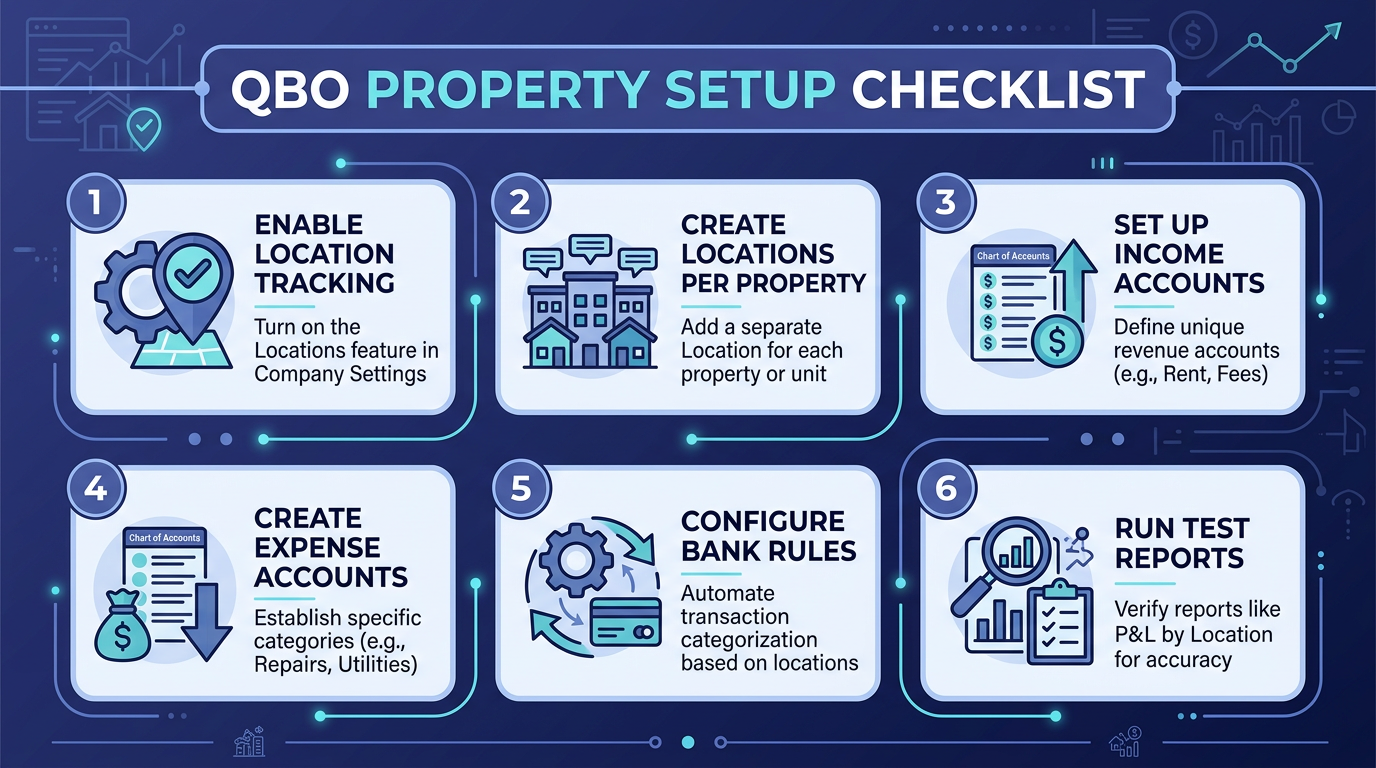
This walkthrough assumes you are on QBO Plus or Advanced. If you are on Simple Start or Essentials, you will need to upgrade — neither plan supports Location or Class tracking.
Create classes for your major expense and revenue categories:
Important: Classes are not a replacement for your chart of accounts. They add a second dimension. A “Plumbing Repair” expense still hits the Repairs & Maintenance account — the class tells you whether it was a routine repair or part of a unit turnover.
From this point forward, every transaction — invoices, bills, expenses, deposits, journal entries — must include both a Location and a Class. QuickBooks allows you to set these fields on each line item, so a single bill from a vendor can be split across multiple properties.
Train your team to treat blank Location/Class fields as errors. The “warn me” setting from Step 1 helps, but it is a warning — not a block.
Your chart of accounts should mirror how property managers actually think about money. The default QBO chart of accounts is designed for generic small businesses and will not serve you well.
Here is the structure we set up for property management clients at Steph’s Books:
Revenue Accounts (4000s)
– 4000 – Rental Income
– 4010 – Late Fees
– 4020 – Application Fees
– 4030 – CAM Reimbursements
– 4040 – Parking / Storage Revenue
– 4050 – Pet Fees / Deposits Earned
– 4090 – Other Property Income
COGS / Direct Property Costs (5000s)
– 5000 – Property Management Fees
– 5010 – Leasing Commissions
– 5020 – Tenant Placement Costs
Operating Expenses (6000s)
– 6000 – Repairs & Maintenance
– 6010 – Landscaping & Grounds
– 6020 – Cleaning & Janitorial
– 6030 – Utilities (sub-accounts: Water, Electric, Gas, Trash)
– 6040 – Property Insurance
– 6050 – Property Taxes
– 6060 – HOA / Association Dues
– 6070 – Pest Control
– 6080 – Security / Access Control
– 6090 – Licenses & Permits
Capital & Non-Operating (7000s)
– 7000 – Capital Improvements (sub-accounts by category: HVAC, Roofing, Flooring, Appliances)
– 7010 – Depreciation Expense
This structure separates revenue you can grow from costs you can control from capital you need to plan for. For a deeper breakdown, see our property management chart of accounts guide.
Pro Tip: Create sub-accounts under Capital Improvements for each major category (HVAC, roofing, plumbing, appliances). When you need to calculate remaining depreciable life or plan CapEx budgets, you will not have to dig through transaction details.
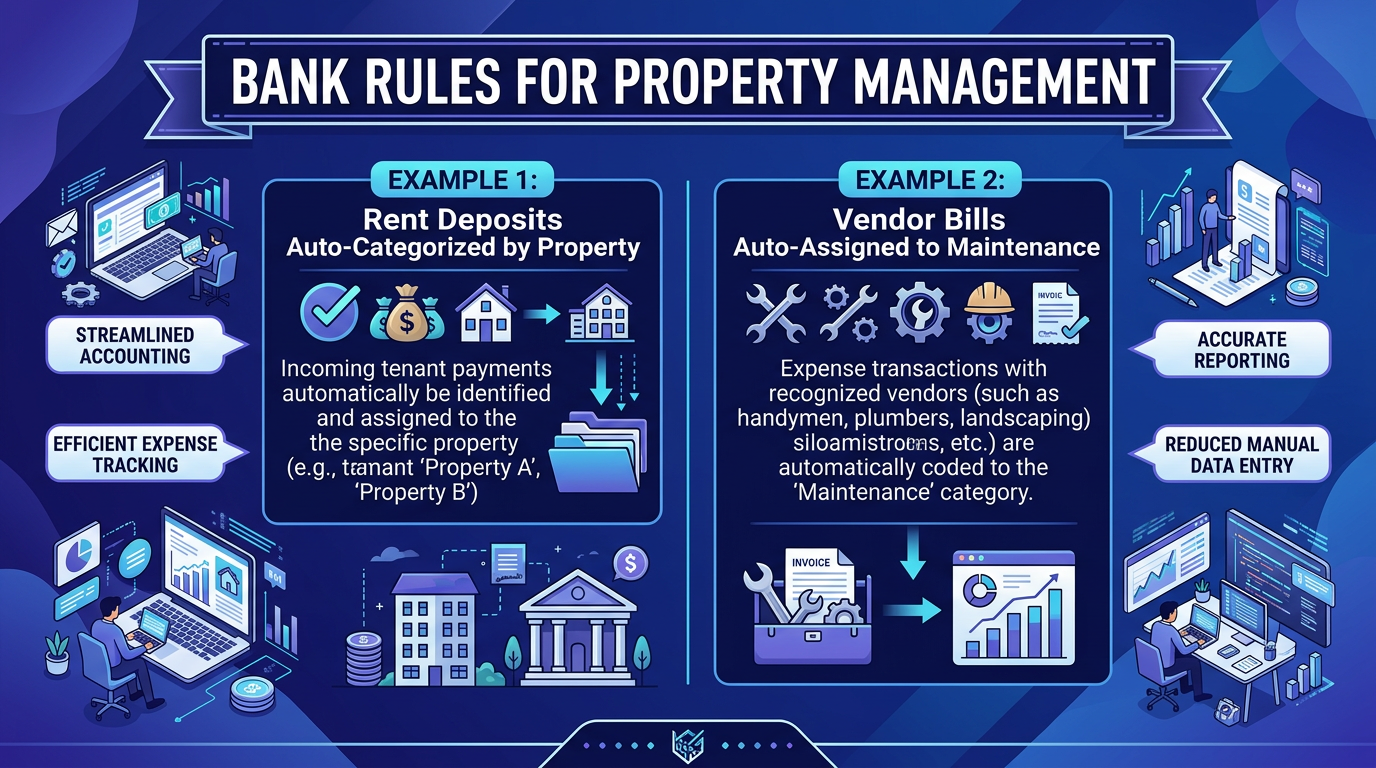
Manual transaction coding is where QuickBooks property management tracking falls apart at scale. A manager handling 100+ units might process 500 transactions per month — and each one needs a Location, Class, and correct account.
Bank rules automate roughly 60–70% of this work. Here is how to set them up effectively:
Rules that work well for property managers:
Rules that cause problems:
For choosing the right software stack, our property management accounting software comparison covers integration options with Buildium, AppFolio, and Rent Manager.
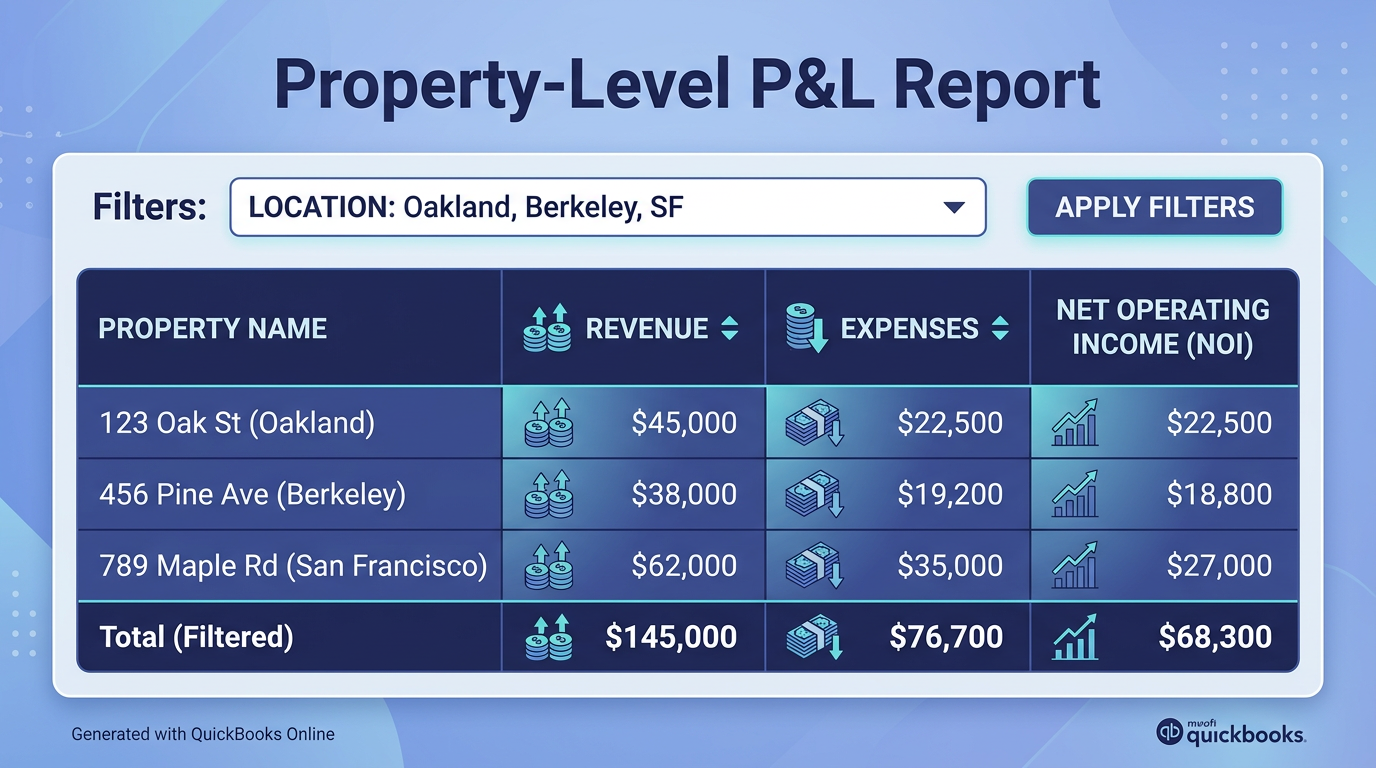
Once transactions are flowing with Location and Class tags, pulling property-level financials takes about 30 seconds.
QBO does not natively produce a “P&L by Location AND Class” crosstab. To get both dimensions:
For most property managers, the P&L by Location report is the daily driver. Run it monthly, compare against budget, and flag any property where operating expenses exceed 40–45% of gross rental income. If you need help with the initial QBO configuration, our QuickBooks Online setup guide covers the fundamentals.
Property managers often hold assets in separate LLCs for liability protection. This creates a bookkeeping architecture question: one QBO file or many?
One QBO file per LLC is the correct answer in almost every case. Here is why:
How to structure it:
Important: Do not use Classes as a substitute for separate LLC files. We have seen managers try to track 12 LLCs in one QBO file using classes — it works until the first audit or tax filing, and then it creates a cleanup project that costs more than the QBO subscriptions would have.
These are the errors we see repeatedly across property management firms:
1. Inconsistent Location assignment. If 15% of your transactions lack a Location tag, your property-level P&L understates expenses by 15%. This is worse than not tracking at all because it creates a false sense of accuracy.
2. Using sub-accounts instead of Locations. Some managers create accounts like “6000-Repairs-123 Main St” and “6000-Repairs-456 Oak Ave.” This approach creates an unmanageable chart of accounts (300+ accounts for a 50-property portfolio) and makes reporting painful. Use Locations for properties, accounts for expense types.
3. Booking security deposits as income. Security deposits are liabilities — they belong on the balance sheet in a trust liability account, not on the P&L. Booking them as income inflates your NOI and creates a tax problem when you refund them.
4. Ignoring owner contributions and distributions. Owner capital going into a property LLC is not revenue. Owner draws are not expenses. Both should flow through equity accounts. Misclassifying these inflates or deflates your operating metrics.
5. Skipping bank reconciliation. Bank rules are powerful but not infallible. Reconcile every account monthly — unreconciled accounts accumulate errors that compound over time.
6. Not separating CapEx from repairs. The IRS draws a clear line between repairs (current-year deduction) and capital improvements (depreciated). Lumping both into “Maintenance” creates tax risk. Use separate accounts.
Ready to get your property-level books in order? Steph’s Books specializes in bookkeeping for property management companies. We will set up your QBO tracking structure, clean up historical data, and deliver monthly property-level financials — so you can focus on managing properties, not spreadsheets. Get started today →
Answer a few quick questions for an instant, no-obligation quote — no sales call required. See how Steph's Books saves you 40-60% vs. hiring in-house.
